
How a trip works
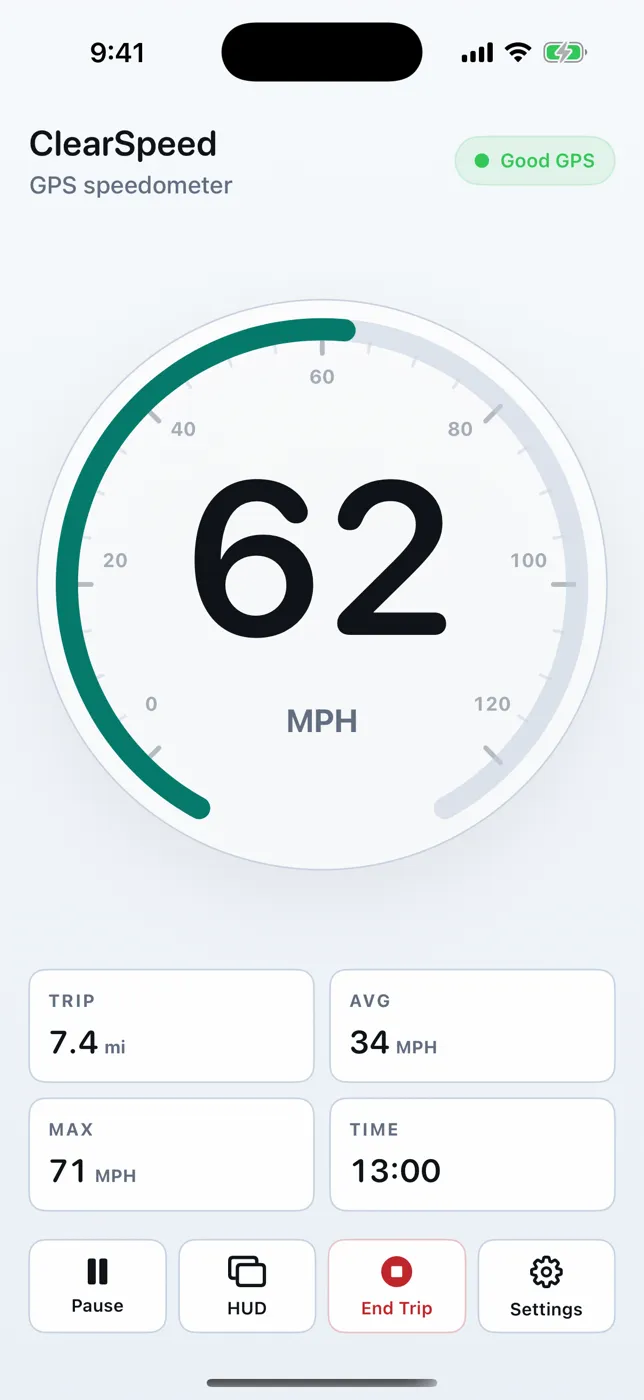
- Tap Start. Distance, time, average, and max begin counting.
- Tap Pause for stops you don't want counted, then Resume.
- Tap End Trip to save the summary to History and reset the tiles.
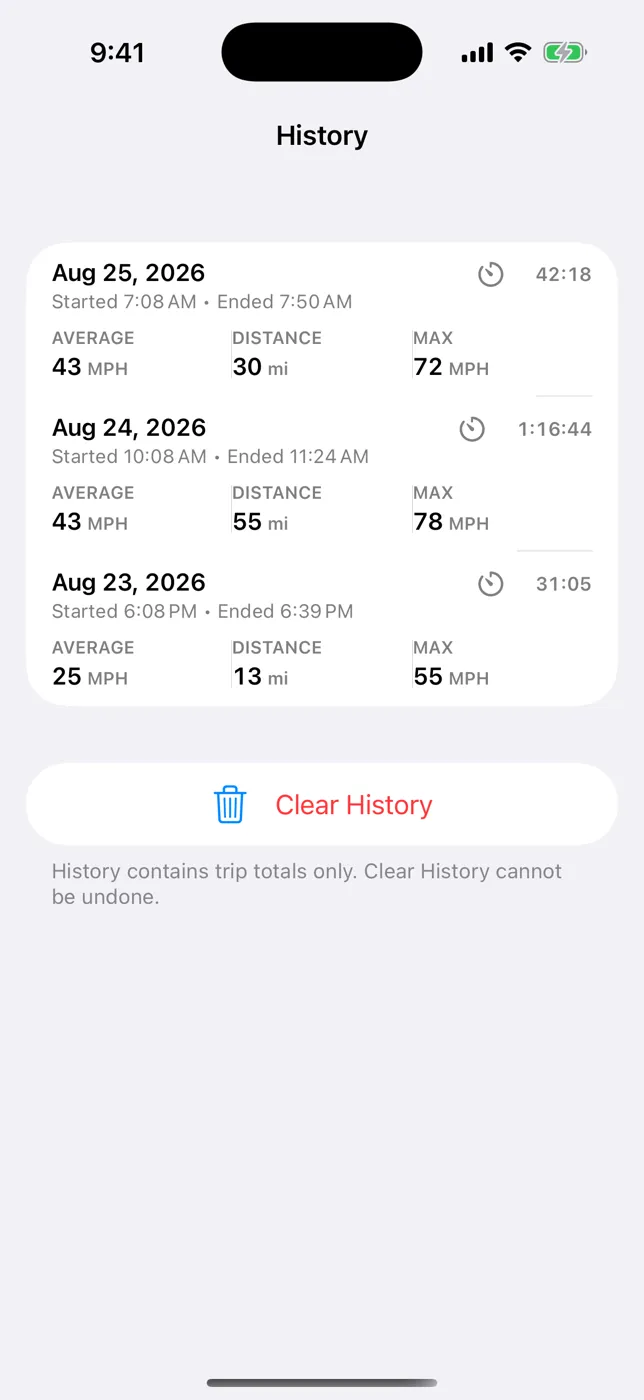
What History saves
For each ended trip: date, start and end time, duration, distance, average speed, and max speed. Summaries are stored on the device and shown in your current unit. Clear everything from Settings → History → Clear History (this can't be undone).
What it doesn't save
- No route maps, GPS tracks, or raw location samples
- No cloud sync or account
- No export (CSV/GPX) and no business/personal trip tagging
If you need a mileage log for taxes or reimbursement, a dedicated mileage-tracking app with exports is the better fit.
Accuracy notes
Measurement runs only while the app is open on screen. When GPS is weak or the app is in the background, trip time and distance pause instead of guessing, so totals can read slightly short in tunnels or if you switch apps.
Try it on your next trip
ClearSpeed GPS is $3.99 once in the U.S. App Store, with no subscription, in-app purchases, or ads. View ClearSpeed GPS on the App Store.