GPS speedometer for iPhone & iPad
Just your speed. Big, clear, and private.
ClearSpeed GPS turns your iPhone into a large, glanceable speedometer in MPH, KM/H, or knots — with trip stats, private trip history, and a mirrored HUD mode for night driving.
- No ads
- No account
- Data Not Collected
- Works offline
- iOS 17.0+
Everything a speedometer needs. Nothing it doesn’t.
ClearSpeed is deliberately narrow: a big number you can trust, the trip stats that go with it, and the display modes people actually reach for.
Large live speed
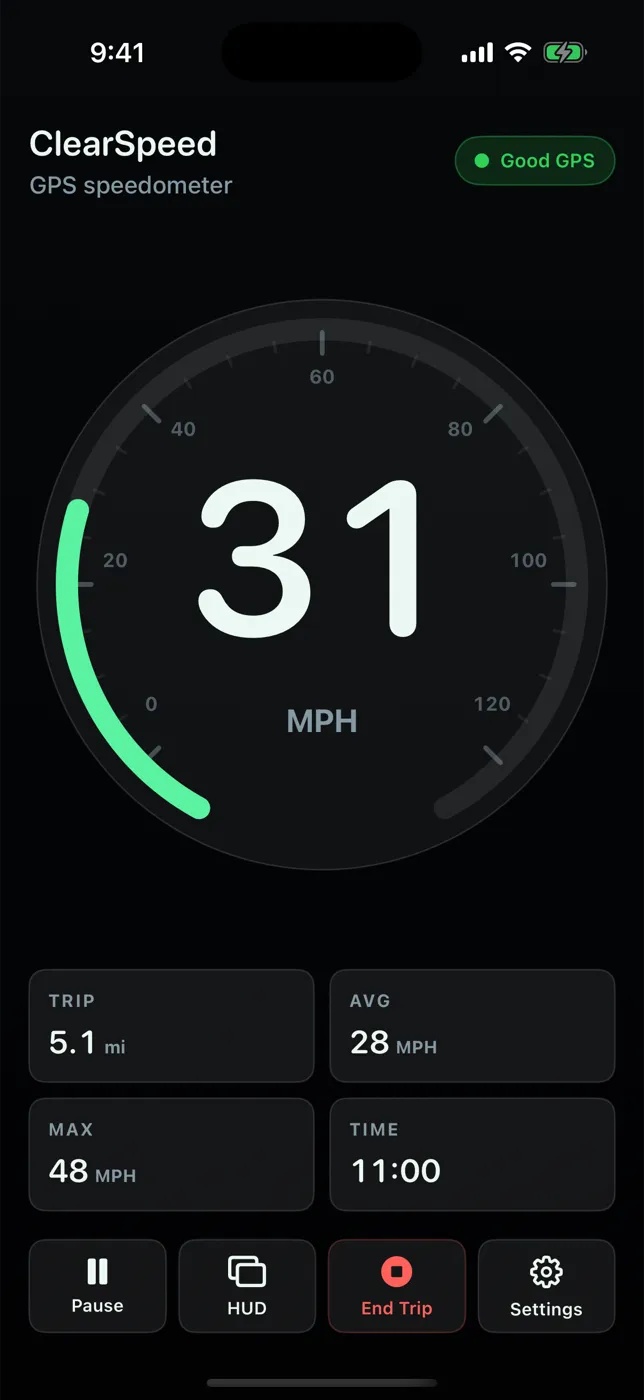
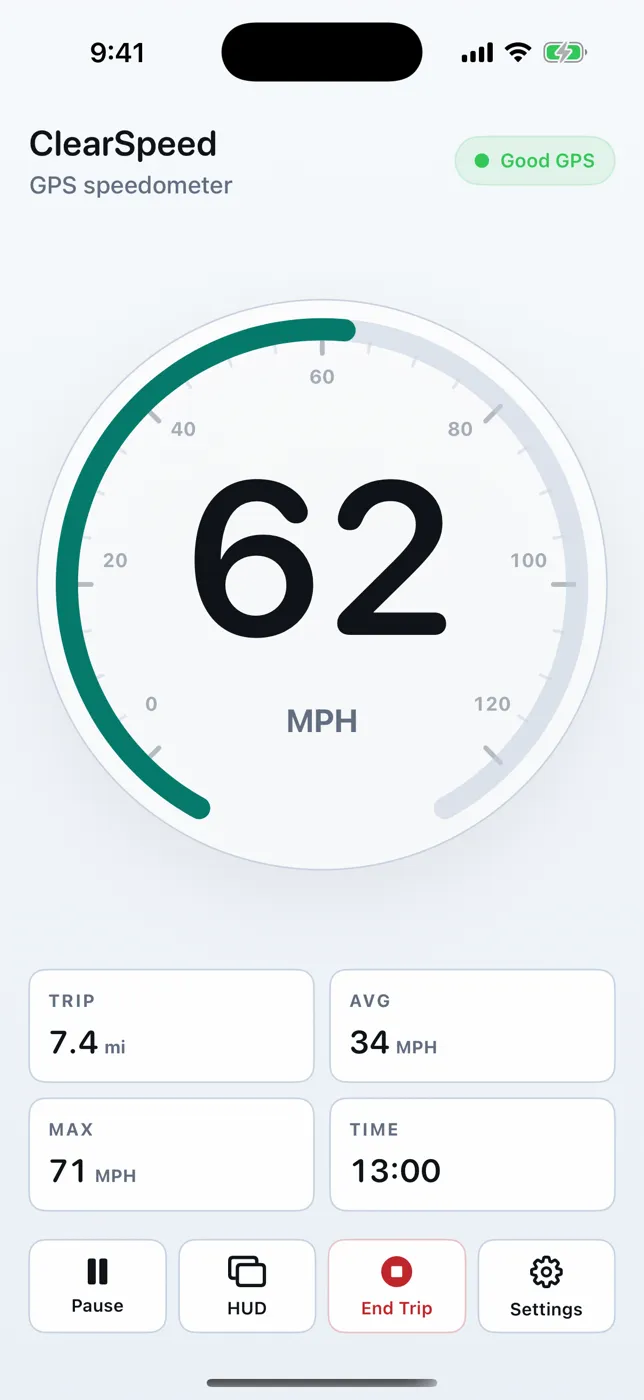
A full-width number on an arc dial, lightly smoothed so it reads steadily without hiding real changes.
Honest GPS status
Good GPS with the reported accuracy, Weak GPS with a reason, or Searching. Poor fixes never show a confident number.
Trip stats
Distance, elapsed time, average, and max. Start, pause, and resume so stops don’t skew your average.
Private trip history
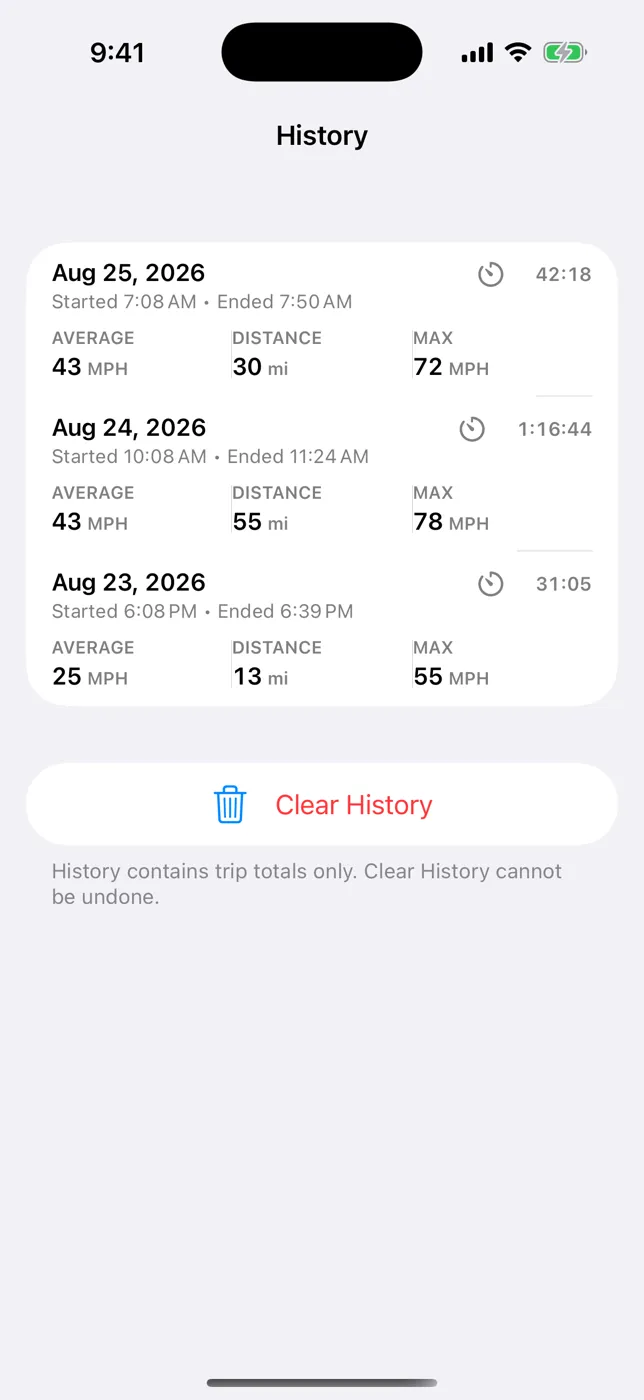
End a trip to save its summary on your device. Totals only — no route maps, no cloud, clear it anytime.
HUD mirror mode
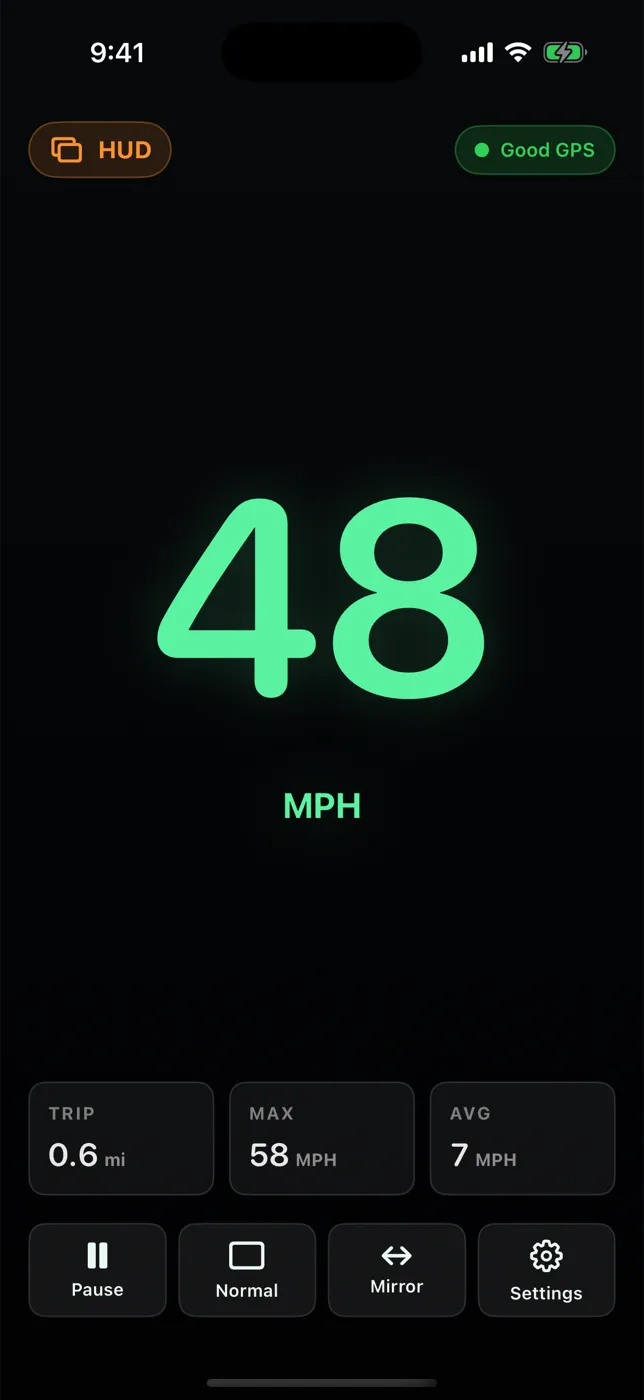
Green-on-black digits that flip for windshield reflection from a phone lying securely on the dash.
Battery Saver
Lowers GPS precision and dims non-essential UI. Keep-screen-awake stops auto-lock mid-trip.
Readable in daylight, at night, and on the glass.
Real screens from the current app. Portrait and landscape on iPhone and iPad.
One speedometer for the car, the boat, and the bike.
Pick the unit that fits the trip. Trip distance follows: miles, kilometers, or nautical miles.
Driving
A second, bigger speed reference, mounted — or reflected in HUD mode at night.
HUD speedometer → KNOTSBoating
Speed over ground in knots and distance in nautical miles, no cell signal needed.
Boating guide → MPH · KM/HCycling
A large handlebar readout with no sensors to pair. Trip totals when you stop.
Cycling guide → SPEEDWalking & more
Useful for steady efforts, skating, and scooters. Runners wanting pace: read this first.
Running guide →HUD mode
Your speed, reflected in the windshield.
Tap HUD for big green digits on black, then Mirror so the reflection reads the right way round. It works best at dusk and night, when the glass has contrast.
- Set it up while parked; start a trip if you want stats.
- Lay the phone flat on a non-slip mat or dash mount, clear of airbags and vents.
- If the reflection is faint or doubled, switch back to Normal and use a regular mount.
Eyes on the road
Don’t handle the phone while driving. ClearSpeed is an informational display; your vehicle’s speedometer and posted signs remain the reference.
What it is — and what it isn’t.
ClearSpeed stays small on purpose. If you need something on the right-hand list, another app will serve you better, and we’d rather you know before you buy.
ClearSpeed does
- Large live GPS speed in MPH, KM/H, or knots
- GPS status with reported accuracy
- Trip distance, time, average, max; pause/resume
- On-device trip summaries (History)
- HUD with mirror, day/night, landscape
- Battery Saver and keep-screen-awake
- iPhone and iPad (GPS models), works offline
ClearSpeed doesn’t
- Maps, directions, or route tracks
- Posted speed limits or speeding alerts
- Background tracking with the screen locked
- CarPlay, Apple Watch, widgets, Live Activities
- OBD-II, cadence, heart rate, or pace
- Export, cloud sync, or mileage-log reports
- Certified or legal speed measurement
Pricing
U.S. App Store price, checked September 25, 2026. Apple shows your local price before you buy.
Pay once. That’s the whole business model.
Most free speedometers are paid for with ads, subscriptions, or tracking — some carry the App Store label “Data Used to Track You.” ClearSpeed has none of that, and its privacy label reads Data Not Collected.
- No subscription or in-app purchases
- No ads, account, or analytics SDKs
- Location processed on device, never uploaded
Common questions
How much does ClearSpeed GPS cost?
$3.99 once in the U.S. App Store (checked September 25, 2026). There is no subscription, no in-app purchase, and no ads. Apple sets prices in other countries, and the App Store shows your local price before you buy.
Does it work without cell service or Wi-Fi?
Yes. Speed comes from your device’s GPS, and the app makes no network requests to show it. Without cellular assistance the first GPS fix can take longer, so wait for “Good GPS.”
Does it keep measuring with the screen locked or in the background?
No. ClearSpeed measures only while it is open on screen and does not use background location. “Keep screen awake” is on by default so the display doesn’t auto-lock. If you lock the phone or switch apps, trip time and distance pause.
How accurate is the speed?
With a clear view of the sky and steady movement, iPhone GPS speed is usually close to true speed. Accuracy drops near tall buildings, under trees, in tunnels, and at very low speeds. ClearSpeed shows the reported accuracy and switches to “Weak GPS” instead of a number when accuracy is worse than about 30 m. It is an informational display, not a certified instrument. More on GPS accuracy.
Does it show speed limits or warn me when speeding?
No. ClearSpeed shows your speed only; it has no map data, posted limits, or alerts. Waze and Google Maps show limits and speeding warnings where available. Compare.
What is HUD mode, and is it safe?
HUD mode shows large green digits on black; the Mirror option flips them so a phone lying on the dashboard reflects readably in the windshield. Set it up while parked, secure the phone so it can’t slide or block your view, and don’t touch it while driving. It works best at night. HUD setup guide.
Does it work on iPad?
Yes, on iPadOS 17.0 or later, in portrait and landscape. Use a Wi-Fi + Cellular iPad: Wi-Fi-only models have no GPS receiver and usually can’t report speed while moving.
Guides
Plain-language answers about GPS accuracy, HUD setup, units, and choosing an app.
ClearSpeed GPS vs. popular iPhone speedometer apps
Speedometer 55, Speedometer Simple, Speedometer», Speedometer One and more — current prices, ads, and privacy labels.
CompareWaze, Google Maps, or a speedometer app?
Built-in navigation speedometers show speed limits and alerts; a dedicated app shows a bigger number offline. When to use which.
HUD setupUsing HUD mirror mode safely
Set it up while parked, secure the phone, check the reflection, then leave it alone.
GPS accuracyHow GPS speedometers work — and how accurate they are
Where the number comes from, what makes it jump, and how the app handles weak signal.
AccuracyGPS speedometer vs. car speedometer: why they differ
Dashboards usually read a little high; GPS can lag. How to compare them fairly.
Trips & historyTrip odometer and trip history on iPhone
Start, pause, resume, end — then review private trip summaries. What’s saved and what isn’t.

A speedometer you buy once.
$3.99 · iPhone & iPad · iOS 17.0+ · Version 1.0.6